

User interface design serves as the backbone of digital experiences, dictating how users interact with websites and applications. This guide delves into the intricate world of UI design, shedding light on its importance, principles, elements, process, and the latest trends that shape the digital landscape.
Get ready to explore a realm where creativity meets functionality, paving the way for seamless user interactions.
As we embark on this journey, prepare to uncover the secrets behind captivating designs that captivate users and elevate the overall user experience to new heights.
Importance of User Interface Design
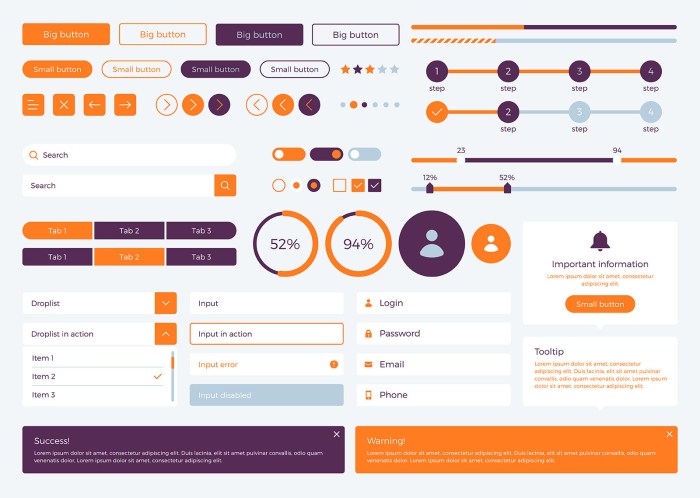
User Interface Design plays a crucial role in determining the success of a product. It directly impacts the user experience, usability, and accessibility, making it a key factor in attracting and retaining users.
Enhancing User Experience
Well-designed user interfaces such as those seen in platforms like Apple's iOS or Google's Material Design have a significant impact on user experience. These interfaces are intuitive, visually appealing, and provide seamless interactions, leading to higher user engagement and satisfaction.
Improving Usability and Accessibility
User Interface Design is essential for enhancing usability by creating interfaces that are easy to navigate, understand, and interact with. By considering accessibility features such as color contrast, font size, and screen reader compatibility, designers can ensure that products are inclusive and usable by a wider range of users.
Principles of User Interface Design
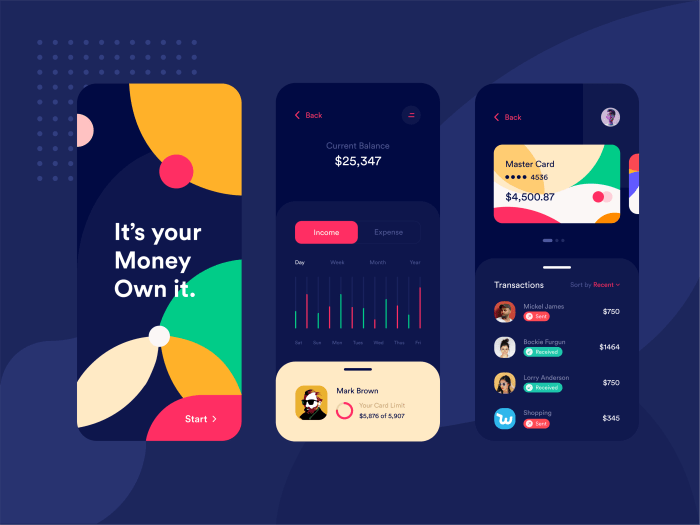
When it comes to designing user interfaces, there are several key principles that designers should keep in mind to create intuitive and user-friendly experiences for their target audience.
Consistency
Consistency is a fundamental principle in user interface design that ensures elements like buttons, menus, and navigation are uniform throughout the interface. This helps users predict how certain actions will behave based on their past interactions. For example, in most applications, the "Save" function is represented by a floppy disk icon, maintaining consistency across different software interfaces.
Simplicity
Simplicity is another crucial principle that focuses on eliminating unnecessary elements and providing a clear and straightforward design. By simplifying the interface, designers can reduce cognitive load on users and make it easier for them to navigate the system. A prime example of simplicity in action is Google's search engine, which features a clean and minimalistic design that prioritizes the search bar.
Feedback
Feedback is essential for guiding users and confirming their actions within a user interface. Whether it's a visual cue like a loading spinner or a success message after completing a task, feedback reassures users that their actions have been acknowledged by the system.
An example of feedback in action is the "Like" button on social media platforms, which changes color or displays a number count to indicate user engagement.
Affordance
Affordance refers to the visual clues within an interface that suggest how an element should be interacted with. By leveraging affordances, designers can make it easier for users to understand the purpose of different UI components. A classic example is the use of raised buttons to indicate clickability, prompting users to interact with them.
User Research
User research plays a vital role in informing design decisions by providing insights into user behaviors, preferences, and pain points. By conducting user research through methods like surveys, interviews, and usability testing, designers can gather valuable feedback to create interfaces that meet the needs of their target audience effectively.
Elements of User Interface Design
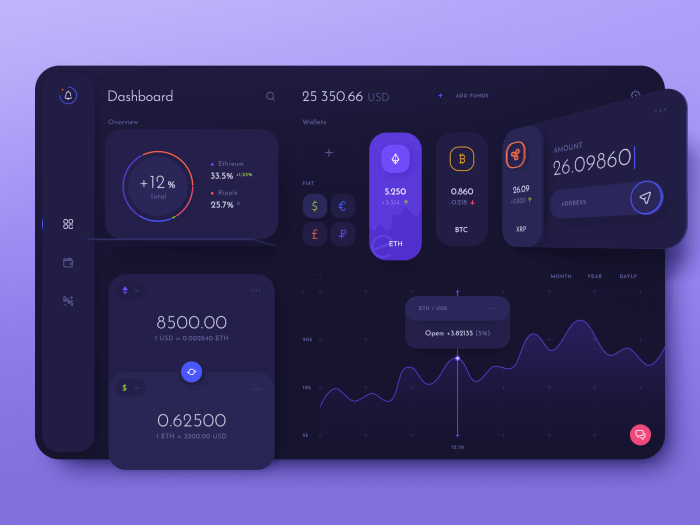
When it comes to designing a user interface, there are several key elements that play a crucial role in creating a seamless and engaging experience for users. These elements include typography, color schemes, layouts, and interactive elements. Each of these components contributes to the overall look and feel of the interface, as well as its usability and functionality.
Typography
Typography refers to the style, size, and arrangement of text on a screen. Choosing the right fonts and ensuring proper spacing can greatly impact readability and user experience. Use clear, readable fonts for body text and more stylized fonts for headings to create visual hierarchy and guide users through the content.
Color Schemes
Color plays a significant role in user interface design, as it can evoke emotions, convey information, and create visual interest. A well-chosen color scheme can enhance the overall aesthetics of the interface and improve usability. Consider using a harmonious color palette that aligns with the brand identity and enhances the user experience.
Layouts
The layout of a user interface determines how content is structured and organized on the screen. A well-designed layout should be intuitive, visually appealing, and easy to navigate. Utilize grids, spacing, and visual hierarchy to create a balanced and cohesive design that guides users through the interface seamlessly
Interactive Elements
Interactive elements such as buttons, menus, and animations add functionality and engagement to a user interface. These elements enable users to interact with the interface, navigate through content, and complete tasks efficiently. Ensure that interactive elements are intuitive, responsive, and visually consistent to enhance the user experience.By effectively combining typography, color schemes, layouts, and interactive elements, designers can create a visually appealing and user-friendly interface that enhances usability and engagement.
Paying attention to these essential elements and their cohesive integration can result in a successful user interface design that meets the needs of both the users and the business.
User Interface Design Process
In the user interface design process, there are several important steps that need to be followed to create an effective and user-friendly interface. From research to prototyping, each stage plays a crucial role in designing a successful user interface.
Importance of Wireframing and Prototyping
Wireframing and prototyping are essential steps in the early design stages of user interface design. Wireframing involves creating a visual guide that represents the skeletal framework of a website or application. It helps designers to layout content, functionality, and user interactions before moving into the actual design phase.
On the other hand, prototyping allows designers to create interactive mockups of the interface, enabling them to test functionality, gather feedback, and make necessary improvements before finalizing the design. Both wireframing and prototyping help in visualizing the overall structure and flow of the interface, ensuring a smooth user experience.
Integration of User Feedback in Refining UI Design
User feedback is a critical component in refining the user interface design. By gathering input from actual users through usability testing, surveys, or interviews, designers can identify pain points, preferences, and areas for improvement in the interface. This feedback is then integrated into the design process to make informed decisions and optimize the user experience.
By continuously iterating based on user feedback, designers can create interfaces that are intuitive, user-friendly, and tailored to the needs of the target audience.
User Interface Design Trends
Keeping up with the latest trends in user interface design is essential to ensure that applications and websites stay relevant and engaging for users. Here, we will explore some of the current trends shaping the field of user interface design.
Dark Mode
Dark mode has gained popularity in recent years due to its aesthetic appeal and potential benefits for eye strain reduction, especially in low-light environments. Many popular applications and websites now offer a dark mode option to cater to user preferences.
Minimalism
Minimalism in user interface design focuses on simplicity, clarity, and efficient use of space. This trend emphasizes clean layouts, limited color palettes, and concise content to create a seamless and user-friendly experience. Minimalistic designs help users focus on essential elements without distractions.
Micro-interactions
Micro-interactions involve small, subtle animations or feedback elements that enhance user engagement and provide visual cues. These interactive details contribute to a more dynamic and interactive user experience, making interactions with the interface more intuitive and engaging.
Impact of Emerging Technologies
The emergence of technologies like Artificial Intelligence (AI) and Virtual Reality (VR) is reshaping user interface design trends. AI-powered interfaces offer personalized experiences and predictive capabilities, while VR interfaces provide immersive interactions and spatial experiences. These technologies influence the design of interfaces to accommodate new interaction paradigms and user expectations.
Examples of Popular Websites/Applications
- Instagram - Dark mode option for reduced eye strain and enhanced visual appeal.
- Apple - Minimalistic design approach with clean layouts and intuitive navigation.
- Google - Implementation of micro-interactions for feedback and engagement.
Final Summary
In conclusion, user interface design stands at the forefront of digital innovation, influencing how users engage with technology on a daily basis. By mastering the principles, embracing the trends, and understanding the process, designers can create immersive experiences that leave a lasting impact.
Dive into the realm of UI design with confidence, armed with the knowledge to craft interfaces that resonate with users and drive product success.
FAQ Resource
Why is user interface design important?
User interface design is crucial as it directly impacts how users interact with a product, influencing their overall experience and satisfaction.
What are the key principles of user interface design?
The key principles include consistency, simplicity, feedback, and affordance, which are essential in creating intuitive and user-friendly interfaces.
How do typography and color schemes contribute to user interface design?
Typography and color schemes play a vital role in establishing visual hierarchy and conveying brand identity, enhancing the overall user experience.
Why is user research important in UI design?
User research helps in understanding user needs, preferences, and behaviors, guiding design decisions to create interfaces that cater to the target audience effectively.
What are some current trends in user interface design?
Current trends include dark mode, minimalism, and micro-interactions, reflecting a shift towards sleek and user-centric design aesthetics.